Tech Laptops Student Guide
Every laptop brand claims to be the best choice for students, and the sheer number of specs, processors, RAM configurations, screen sizes, makes comparison genuinely difficult without a technical background. What actually matters for college use is narrower than the marketing suggests, and once you know what to prioritize, the decision gets considerably simpler.
Battery life 10+ hours for full class days | Weight Under 3.5 lbs for daily carry | RAM 16GB minimum recommended |
What actually matters when choosing a college laptop
Before comparing specific models, it helps to understand which specs genuinely affect the day-to-day college experience and which are marketing noise that matters more for gaming or professional video editing than for writing papers, browsing research databases, and attending video lectures.
Battery life is arguably the single most important spec for a student laptop, since a typical class day involves lectures, library sessions, and group work spread across many hours with limited access to outlets in lecture halls. A laptop rated for ten or more hours of real-world use removes the daily anxiety of finding a charger between classes.
Weight and portability matter more than most students expect before their first semester of carrying a laptop across campus in a backpack that already holds books, chargers, and other supplies. Anything under 3.5 pounds is comfortable for all-day carry, while laptops above 4.5 pounds become a noticeable burden by the end of a long day.
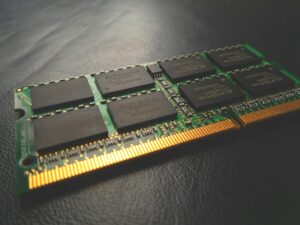
Sixteen gigabytes of RAM has become the practical minimum for smooth multitasking, running a browser with dozens of tabs, a word processor, and a video call simultaneously, which describes a typical study session for most students. Eight gigabytes, still common on budget laptops, noticeably slows down under that kind of daily multitasking load.
MacBook Air M4: the most recommended all-around choice
The MacBook Air has become the default recommendation for college students across a wide range of majors, and the current M4 chip generation extends that reputation with genuinely excellent battery life, often exceeding eighteen hours of real-world use, and a fanless design that runs silently even under sustained workloads like video editing for a class project.
Its 2.7-pound weight makes it one of the most comfortable laptops for daily campus carry, and macOS integrates smoothly with iPhone and iPad if a student already uses Apple’s ecosystem, syncing notes, messages, and files without extra setup. The build quality and display, a sharp Liquid Retina panel, also tend to hold up well across a full four-year degree, which matters for resale value at graduation.
The trade-off is software compatibility for specific majors. Certain engineering, architecture, and specialized science software is Windows-only or runs better on Windows, which makes the MacBook Air a stronger fit for humanities, business, and general education students than for majors with heavy reliance on Windows-specific technical software.
Lenovo ThinkPad E-series: the durable budget workhorse
For students who need a Windows laptop on a tighter budget, the ThinkPad E-series consistently gets recommended for its combination of durability and a keyboard widely considered one of the best in the industry, an underrated factor for anyone typing papers for hours at a time.
ThinkPads are built to a military-grade durability standard originally designed for business use, which translates well to the accidental drops, spills, and general wear of dorm and backpack life. The line also tends to be more repairable than many competitors, with easier access to swap a battery or upgrade RAM down the line rather than requiring a full replacement.
Configured with 16GB of RAM and a solid-state drive, the E-series handles the software needs of most majors, including Windows-specific engineering and statistics software, at a price point noticeably lower than premium ultrabooks.
Dell XPS 13: a strong choice for computer science and engineering students
The Dell XPS 13 pairs a compact, well-built chassis with strong performance for coding, compiling, and running the development environments common in computer science coursework, while remaining light enough for daily campus carry at under three pounds.
Its display, available in sharp resolution options, makes it well suited to the long hours of reading documentation and code that computer science and engineering programs demand. Windows compatibility also means it runs the specialized simulation, CAD, and statistical software that many STEM programs require without the compatibility questions that come with macOS.
Battery life, while solid, does not quite match the MacBook Air, typically landing in the ten to twelve hour range under real use, which is still comfortable for a full class day but leaves less margin than Apple’s Silicon-based laptops.
Common mistakes students make when buying a laptop
Buying based on gaming performance when gaming is not the primary use case leads students toward heavier, shorter-battery-life laptops with dedicated graphics cards that add cost and weight without benefiting typical coursework. If gaming matters, a separate desktop or a laptop specifically chosen for that purpose is usually a better long-term solution than compromising the daily-use laptop.
Underestimating storage needs is another common issue. 256GB, once considered generous, fills up quickly with software, class files, photos, and downloaded materials across a full degree. 512GB is a safer minimum for most students, particularly those in majors involving large files like video, design, or data sets.
Not checking specific software requirements before buying causes real problems partway through a semester. Architecture, certain engineering disciplines, and some business analytics courses require specific Windows-only software, which should be confirmed with the department before committing to a MacBook.
How to choose based on your major
Humanities, business, and social science majors, where the primary use is writing, research, and presentations, are well served by the MacBook Air’s battery life and portability, or a comparable lightweight Windows ultrabook if Windows-specific software is needed for a particular course.
Computer science, data science, and engineering majors generally benefit from a Windows laptop with strong processing power, like the Dell XPS 13, both for compatibility with department-required software and for the option to run Linux environments common in technical coursework.
Art, design, and film majors have the most demanding requirements, often needing dedicated graphics capability and larger displays for editing work, which typically points toward a higher-tier MacBook Pro or a Windows laptop specifically built for creative workloads rather than the general-purpose options above.
Frequently asked questions
Is a MacBook or a Windows laptop better for college?
It depends on your major. MacBooks offer excellent battery life and build quality, well suited to humanities and business students. Windows laptops are generally necessary for majors requiring specific engineering, architecture, or specialized statistical software that does not run natively on macOS.
How much RAM does a college student actually need?
16GB is the practical minimum for smooth multitasking across browser tabs, documents, and video calls. 8GB, while workable for very light use, tends to slow down noticeably under a typical student’s daily multitasking load.
What laptop battery life is realistic for a full day of classes?
Aim for a laptop rated at ten or more hours of real-world battery life, since actual usage typically runs shorter than manufacturer claims under marketing conditions. Apple Silicon MacBooks currently lead this category, often exceeding manufacturer estimates.
How much storage should a student laptop have?
512GB is a safer minimum than the once-standard 256GB, particularly for students in majors involving large files such as video, design, or data sets. Cloud storage can supplement but should not be relied on as the only solution given inconsistent campus internet access.
Final thoughts
The best college laptop is the one that matches your specific major’s software requirements while offering enough battery life and light enough weight to comfortably survive a full day of classes. The MacBook Air M4 remains the strongest general-purpose choice for most students, the ThinkPad E-series is the best durable budget option, and the Dell XPS 13 is the strongest choice for computer science and engineering students who need Windows compatibility.
Before buying, confirm your specific department’s software requirements, prioritize battery life and weight over specs that matter more for gaming than coursework, and choose storage generously since upgrading later is rarely possible on modern thin laptops.
Disclaimer: This blog is for informational purposes only. Prices, specifications, and model availability change frequently; verify current details with the manufacturer or retailer before purchasing.